
Claude
Install the Ultralayer plugin in Claude. The plugin packages the MCP server (Claude calls this a connector) together with agent skills — domain instructions that teach Claude how to use each Ultralayer tool well. Skills plus connector is much stronger than adding the connector alone.
We recommend installing via a marketplace from GitHub (not a one-off file upload). Marketplace sync keeps the plugin up to date when we push to the repo; with a file upload you would re-upload manually on every update.
This works on Claude Free — no paid plan required.
Prerequisites
- An Ultralayer account. Sign up or sign in at console.ultralayer.ai.
- Stay signed in to the Ultralayer console in the same browser you use for Claude (the console tab does not need to stay open). OAuth during connector setup can fail if Ultralayer session cookies are missing.
1. Add the Ultralayer marketplace
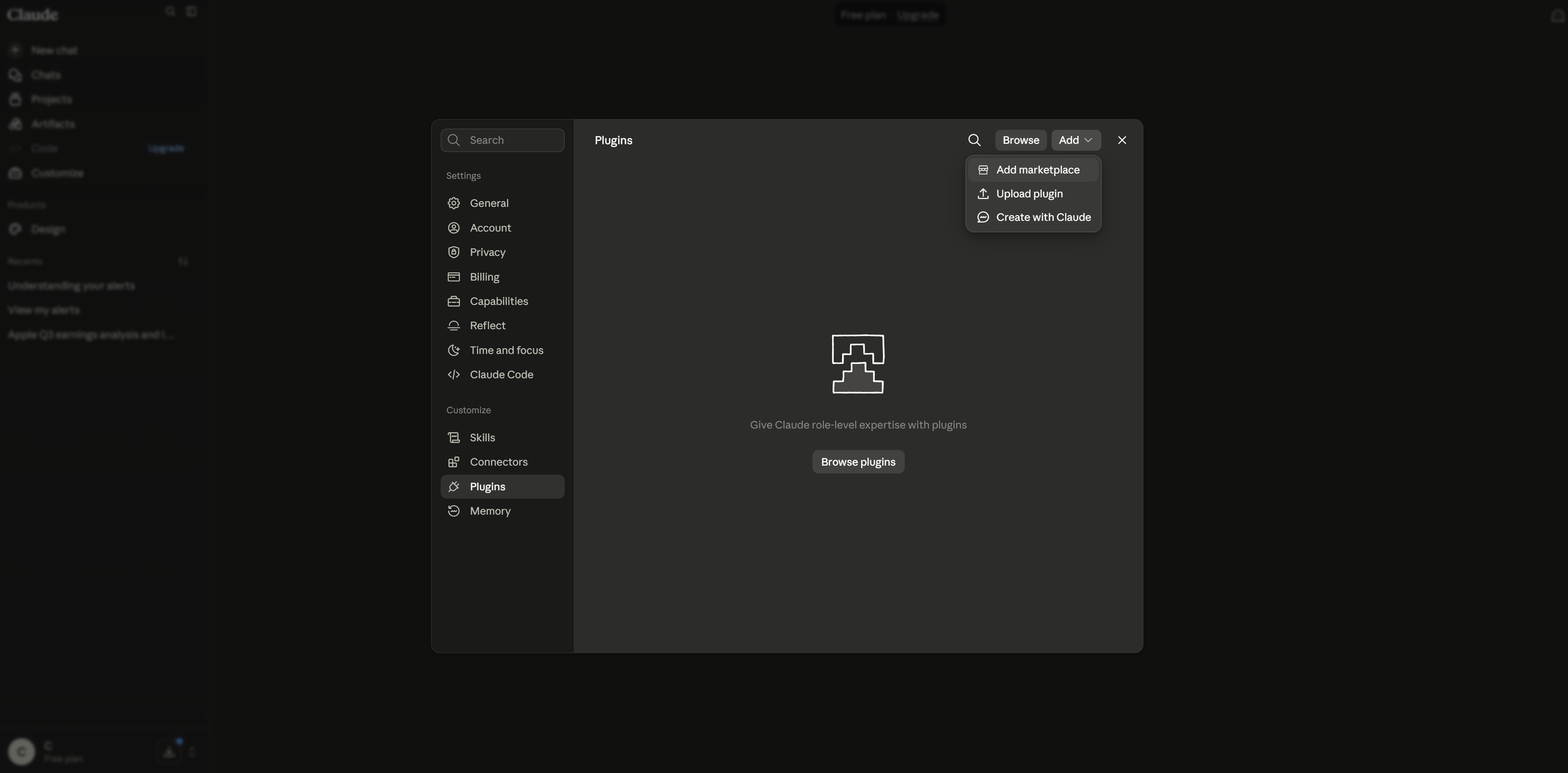
In Claude, open Settings → Plugins. Click Add, then choose Add marketplace.
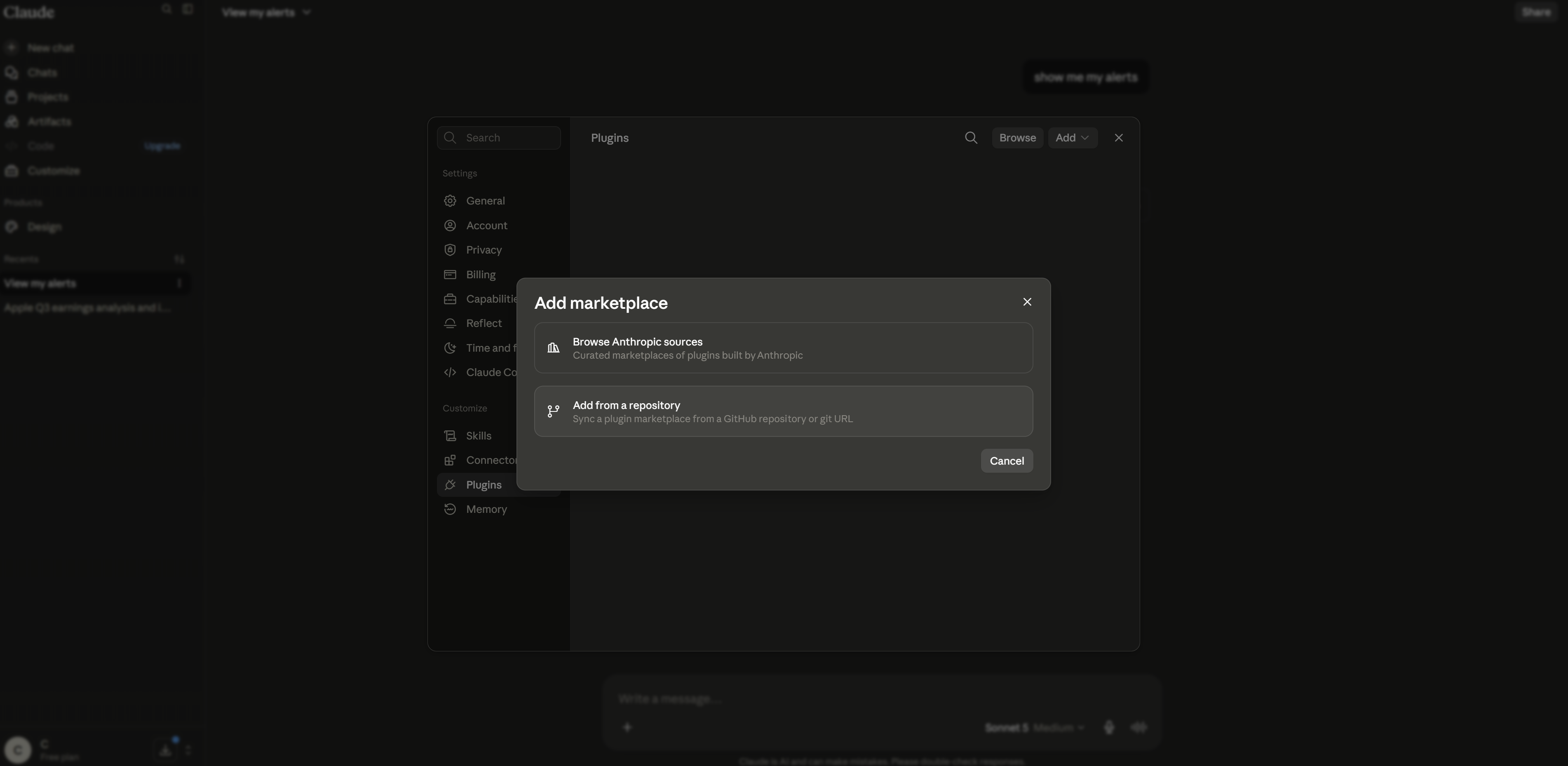
Choose Add from repository (not an Anthropic-sourced marketplace).
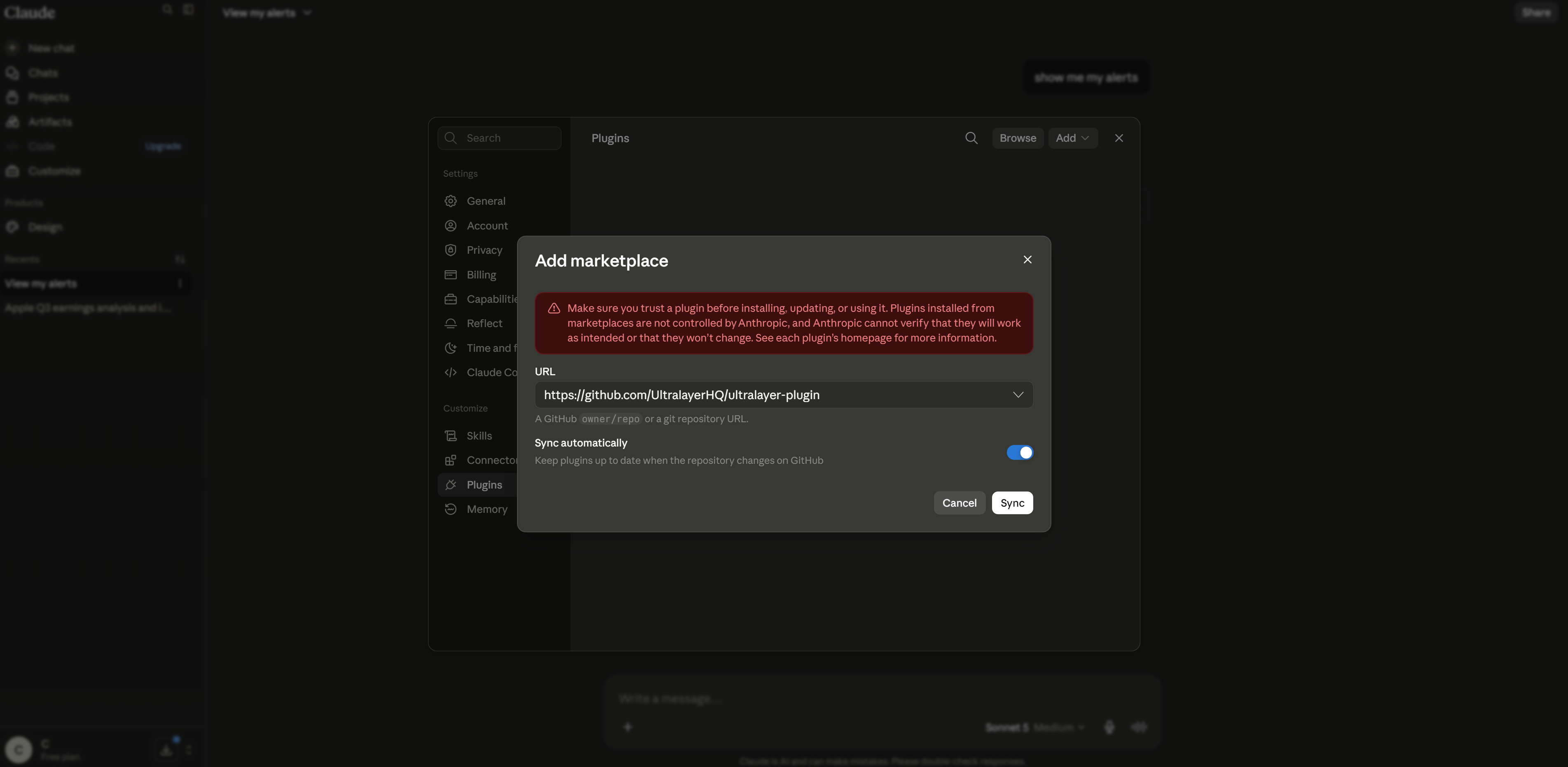
Enter the plugin repository URL, leave Sync automatically on, then click Sync:
Code
2. Install the plugin
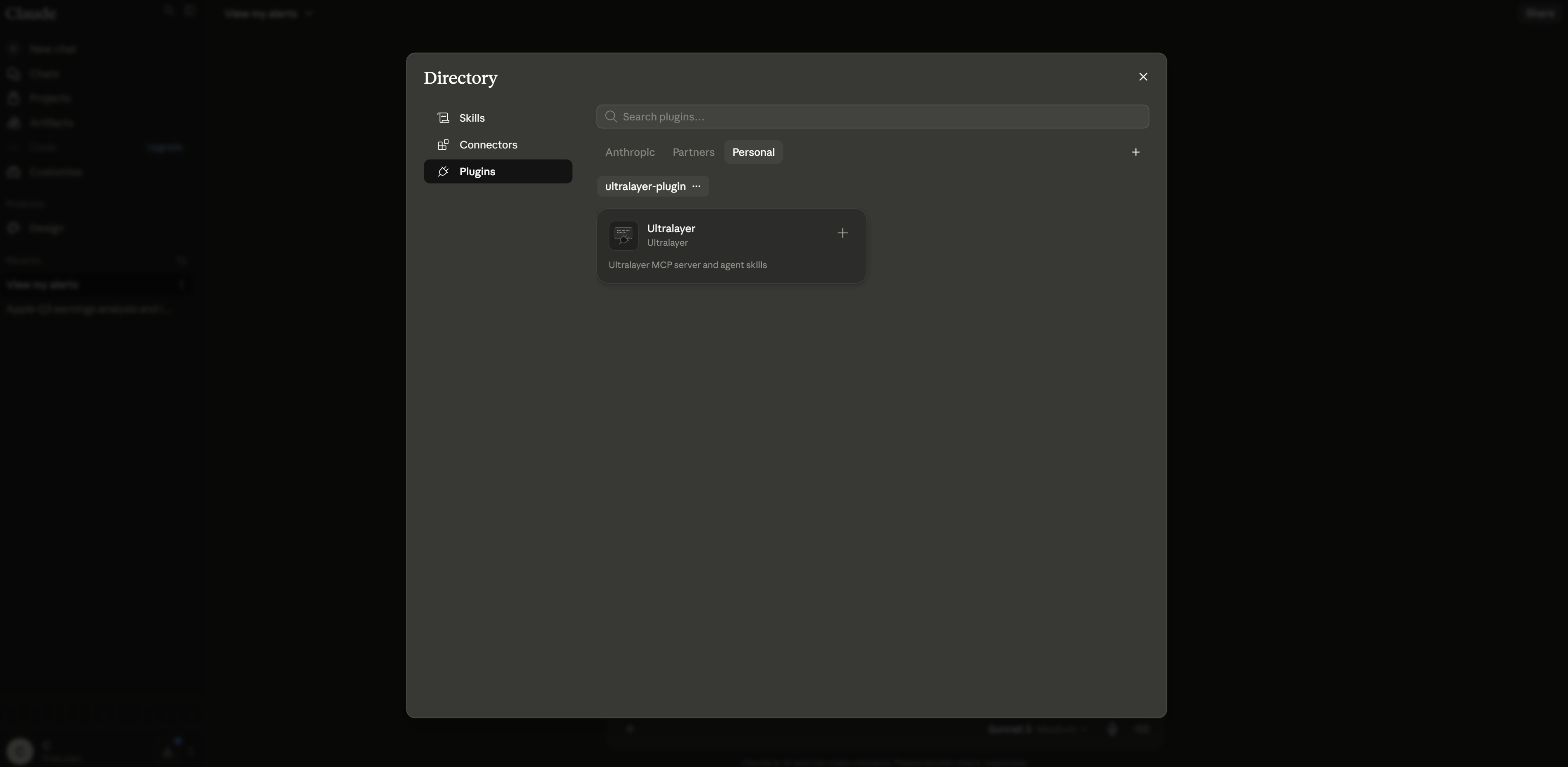
Under Personal, you should see ultralayer-plugin / Ultralayer. Click the + on the card to install it.
When install finishes, the + becomes a gear, and Claude may show “Ultralayer is installed and ready to use.”
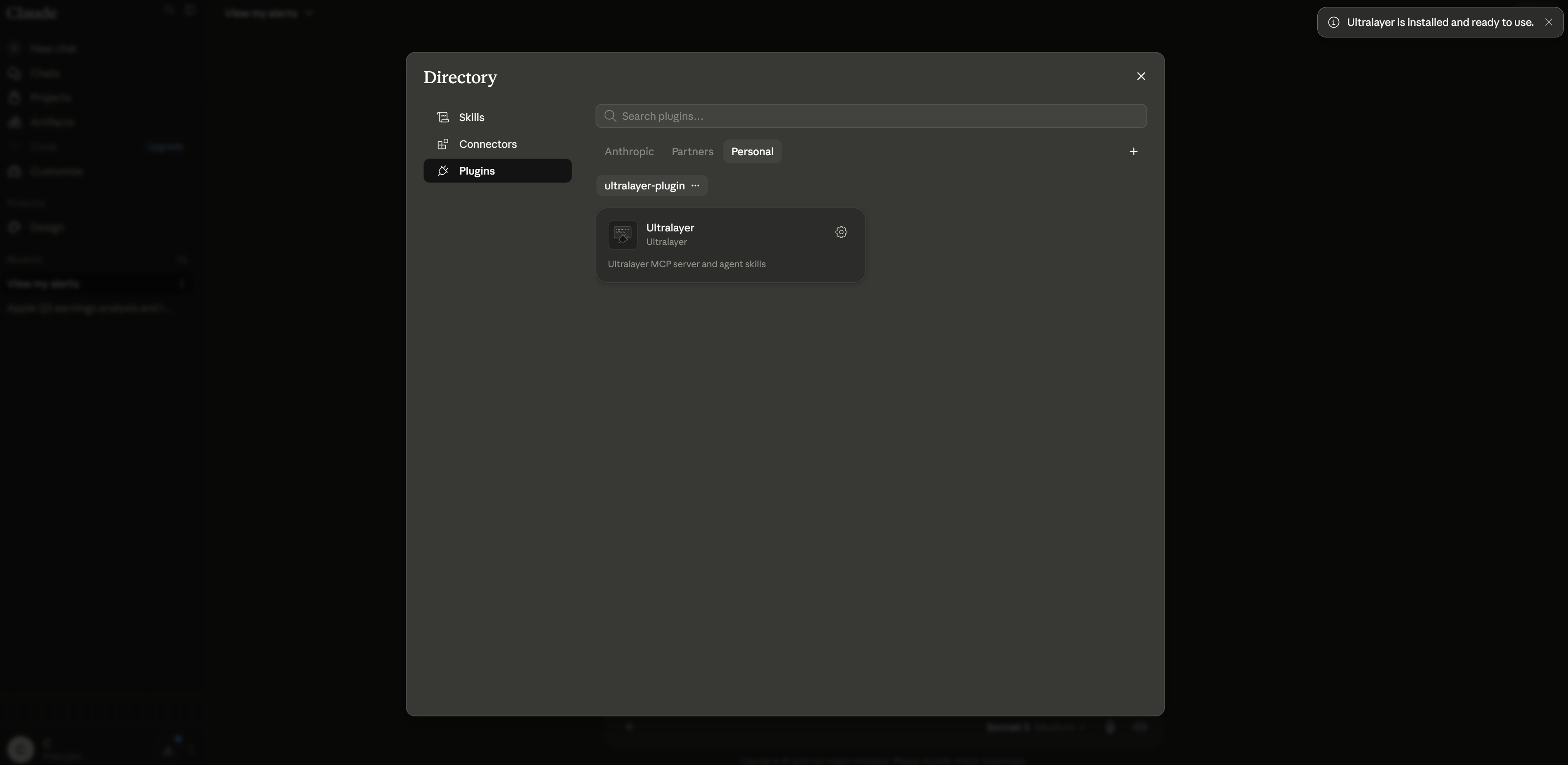
At this point the marketplace and plugin are installed, but the connector (MCP) is not connected yet — OAuth runs in the next step.
3. Install the connector
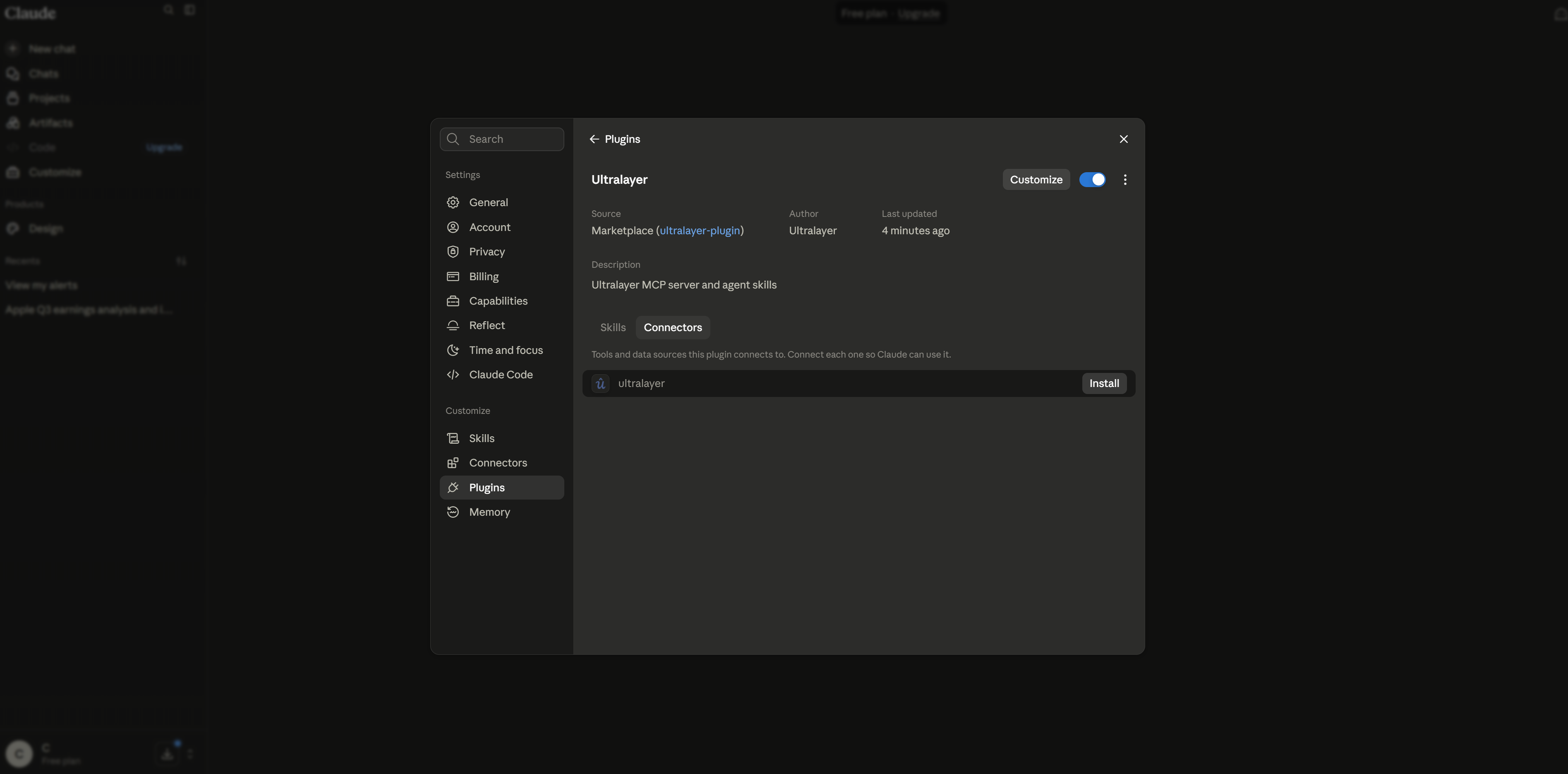
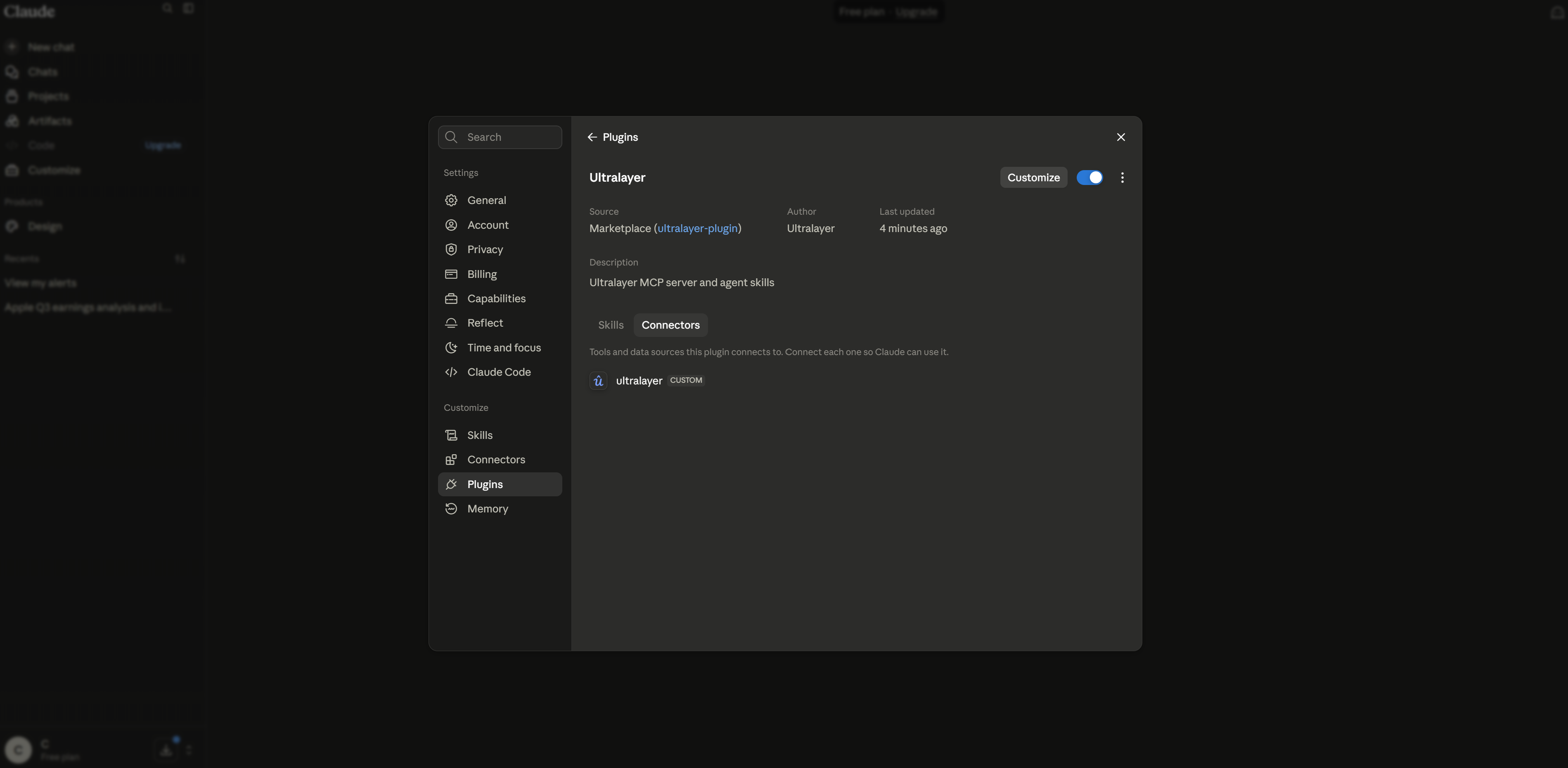
Open the plugin (gear), go to the Connectors tab, and click Install on the Ultralayer connector.
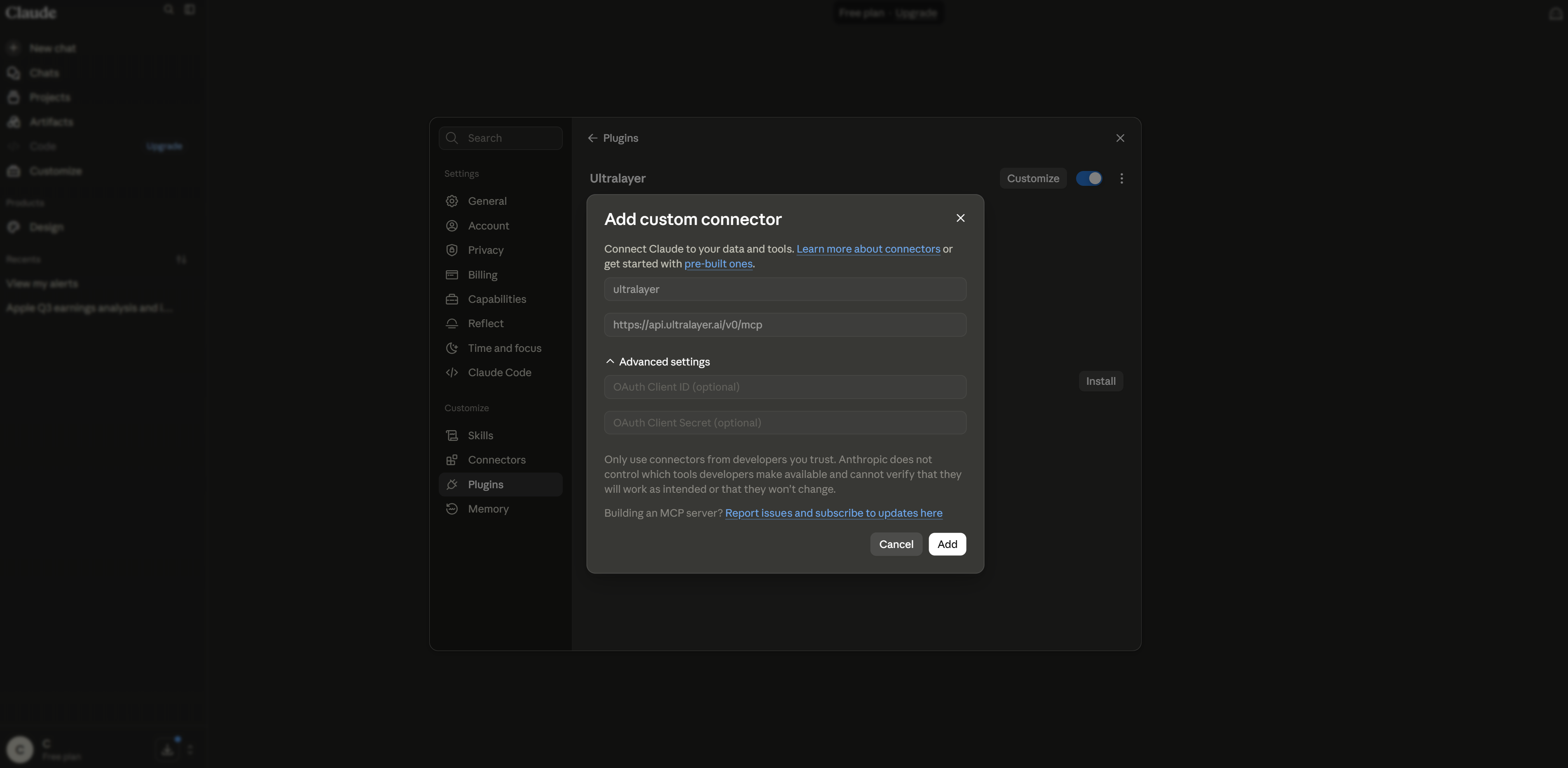
Claude opens Add custom connector with the fields already filled from the plugin:
| Field | Value |
|---|---|
| Name | ultralayer |
| URL | https://api.ultralayer.ai/v0/mcp |
Leave Advanced settings empty. Click Add.
4. Sign in and allow access
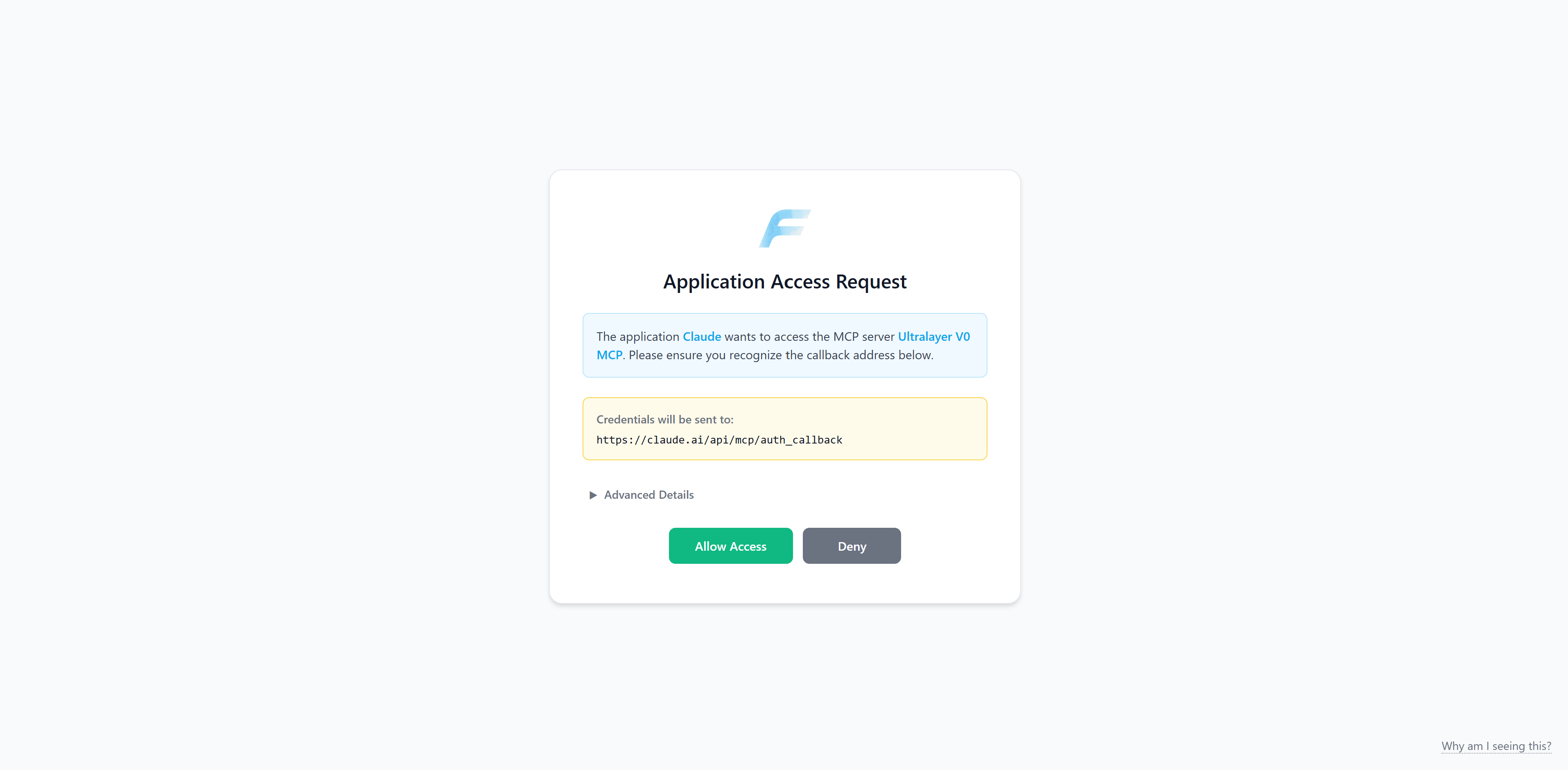
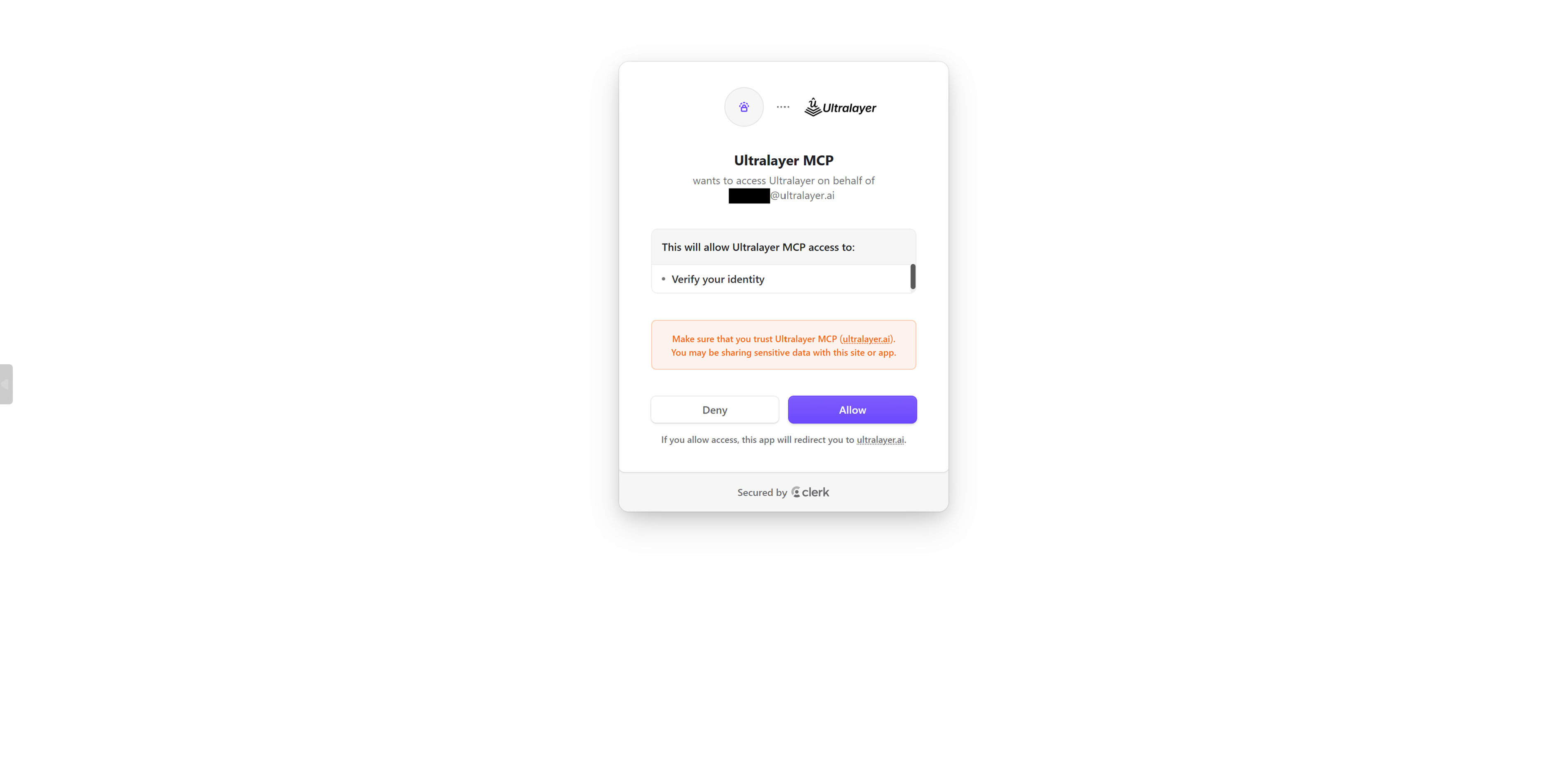
You will go through two consent screens (same flow as other Ultralayer OAuth clients):
api.ultralayer.ai— click Allow access.accounts.ultralayer.ai— click Allow.
5. Confirm the connection
When OAuth finishes, the connector should show as Connected.
6. Try it
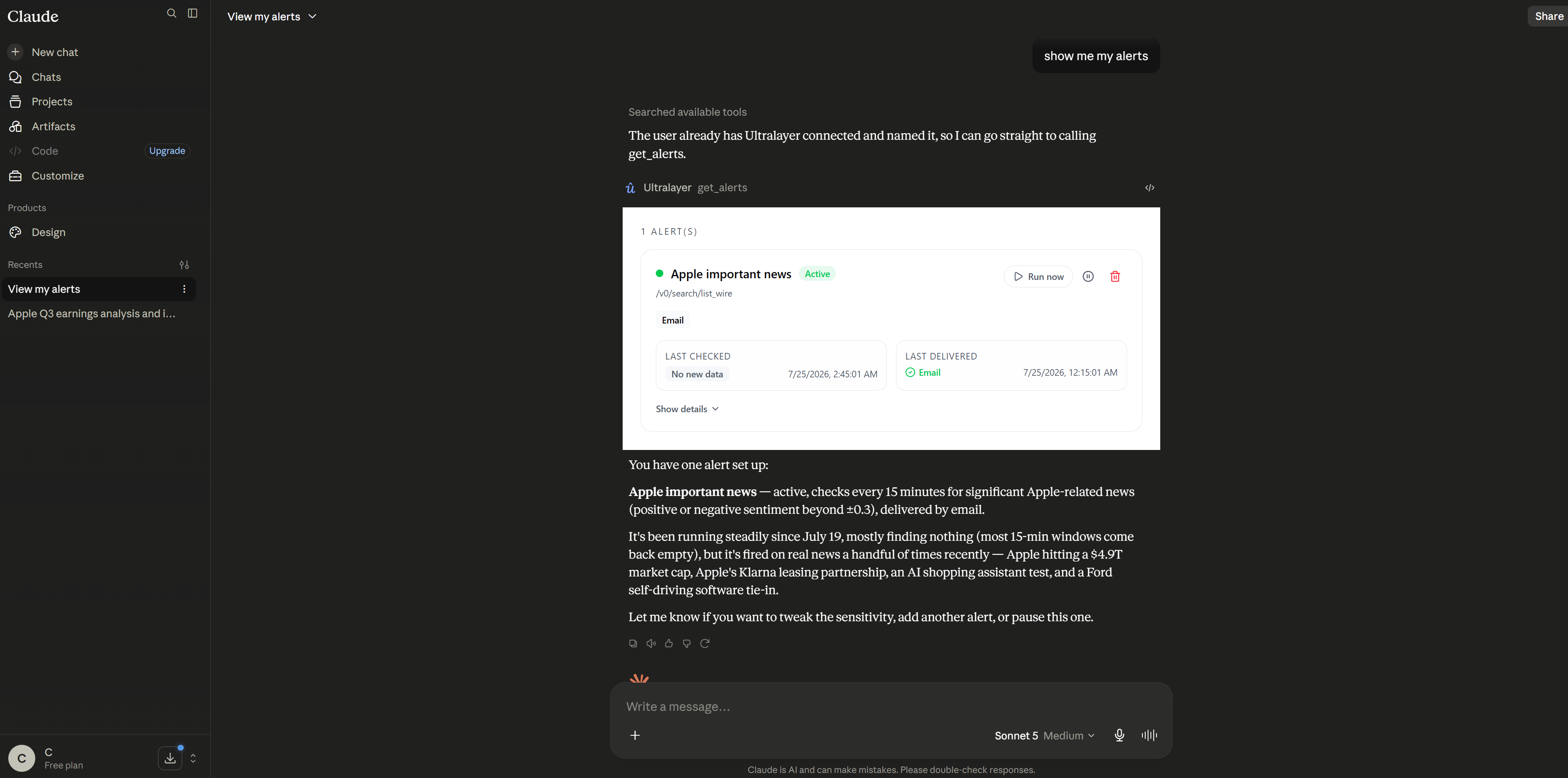
Open a new chat and ask something that needs market data. Claude discovers connectors/plugins from context and picks the right tools.
Starter prompts:
What's moving markets right now? Focus on high-importance items only.
Brief me on Nvidia: recent headlines, sentiment over the last two weeks, and who co-moves with it in the news.
Alert me when there is important information about the healthcare sector
Troubleshooting
| Issue | What to try |
|---|---|
| OAuth fails / loops | Sign in at console.ultralayer.ai in the same browser, then retry installing / connecting the connector |
| Marketplace sync fails | Confirm the URL is exactly https://github.com/UltralayerHQ/ultralayer-plugin, then Sync again |
| Plugin installed but no tools | Open the plugin gear → Connectors and finish Install + OAuth — the plugin alone is not enough |
| Connector not Connected | Re-open the connector install flow and complete both consent screens |
For other clients, see ChatGPT or MCP & Plugins. For the shared connection overview, see the quickstart.